asyncio: AsyncApplication, AsyncRpcClient, EventDispatcher
from nativehtmlkit import AsyncApplication, AsyncRpcClient, EventDispatcher
adapter = app.async_adapter()          # inside a running event loop
The asyncio layer uses the same host connection as the synchronous API; there is no second connection or event loop. Event callbacks run on your loop, and RPCs are awaitable.
Application.async_adapter
app.async_adapter(*, loop=None) -> AsyncApplication. Create it inside the running loop (it calls
asyncio.get_running_loop() when loop is None, so outside a loop it raises RuntimeError).
AsyncApplication
AsyncApplication(app, *, loop=None).
| Attribute | Meaning |
|---|---|
app |
The synchronous Application |
rpc |
An AsyncRpcClient over app.rpc |
dispatcher |
The EventDispatcher that runs callbacks on the loop |
on_document_event
adapter.on_document_event(document, event_type: str, callback, *, element: str | None = None) -> Callable[[], None]
Like Document.on, but callback(event) runs on the owning loop. It may be
a plain function or an async def coroutine function; a coroutine is awaited before the next
event is dispatched (callbacks are strictly FIFO). Start an asyncio.create_task inside the
callback for work that should not hold up later events. Returns a function that disposes the
subscription: once it returned, no new invocation starts, including for queued events.
run
await adapter.run() -> None. Run app.run() in a worker thread and wait for an orderly shutdown.
Afterwards every subscription is disposed and the dispatcher drains and stops. Cancelling the
awaiting task closes the connection (app.close()) and re-raises CancelledError.
close
await adapter.close() -> None. Dispose subscriptions, close the connection, stop the dispatcher.
Like Application.close() this is an abrupt end for the host (exit status 1); prefer
await asyncio.to_thread(app.request_quit) for an orderly quit.
AsyncRpcClient
AsyncRpcClient(rpc: RpcClient).
await adapter.rpc.call(method: str, params: dict | None = None, *, timeout: float | None = 15.0)
Send a request and await its result without blocking the loop. timeout in seconds; None
waits indefinitely (use it for native dialogs). On expiry it asks the host to cancel and raises
RpcTimeoutError (outcome_unknown=True). Cancelling the awaiting task also asks the host to
cancel and re-raises CancelledError. Neither is a rollback. Errors are the same as for
RpcClient.call.
Document operations through the async client name the window and document explicitly:
async def command(op, **fields):
    return await adapter.rpc.call("document.command", {
        "window_id": window.id, "document_id": window.document.id,
        "command": {"op": op, **fields}})

await command("set_text", element="status", text="Working…")
value = (await command("get_value", element="name"))["value"]
Synchronous SDK methods block; call them off the loop with await asyncio.to_thread(...). A
blocking SDK RPC made directly on a running loop triggers a one-time RuntimeWarning ("Blocking
NativeHTMLKit RPC on a running asyncio event loop").
EventDispatcher
EventDispatcher(loop=None, *, capacity=128): a bounded FIFO that runs callbacks on loop.
Normally used through AsyncApplication.
| Member | Meaning |
|---|---|
submit(callback, event, *, active=None) |
Thread-safe: queue callback(event); active() is re-checked on the loop right before running. |
await stop() |
Run the already queued callbacks, then end. Called from inside a dispatched callback it only marks the dispatcher to finish (it cannot wait for itself). |
dropped |
Events dropped because the queue was full or the loop was closed (also recorded as callback.queue_overflow). |
loop, queue |
The owning loop and its asyncio.Queue |
Callback failures, including a callback that raises CancelledError, are passed to the loop's
exception handler (loop.call_exception_handler) and do not stop later events.
Two ways to start an async application
import asyncio
from nativehtmlkit import Application

async def amain(app: Application) -> None:
    window = await asyncio.to_thread(app.open_html, "<button id='go'>Go</button><p id='out'></p>")
    adapter = app.async_adapter()

    async def go(_event):
        await asyncio.sleep(0.5)                       # the loop stays responsive
        await adapter.rpc.call("document.command", {"window_id": window.id,
            "document_id": window.document.id, "command": {"op": "set_text", "element": "out", "text": "Done"}})

    adapter.on_document_event(window.document, "click", go, element="go")
    await adapter.run()

def main() -> None:
    with Application.start(name="Async demo") as app:   # uv run app.py
        asyncio.run(amain(app))

if __name__ == "__main__":
    main()
uv run -m nativehtmlkit run app:amain also works: the runner awaits a coroutine returned by the
entry point (asyncio.run) and then calls app.run(), which returns at once when amain already
waited for shutdown.
See the asyncio guide and the examples
async_counter.py and async_jobs.py.
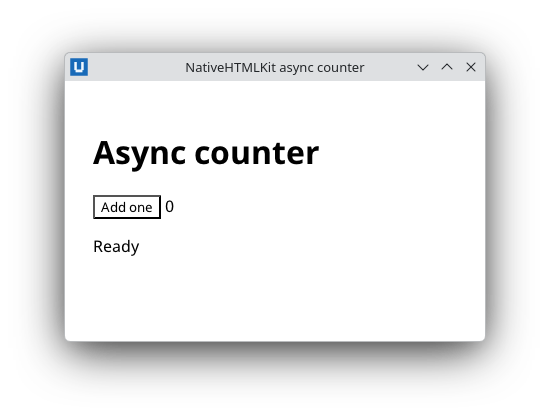
Real capture on KDE Plasma 6.6 Wayland with the released packages.
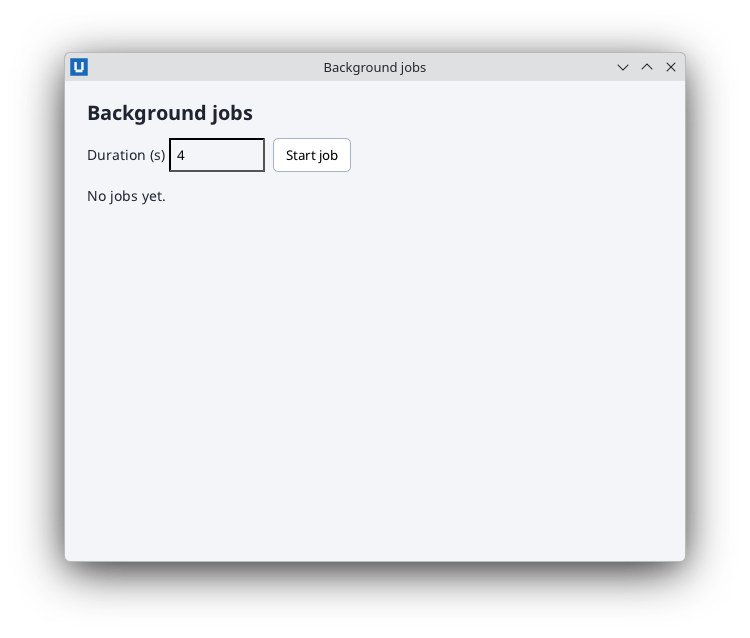
Real capture on KDE Plasma 6.6 Wayland with the released packages.
Source: nativehtmlkit-python/docs/reference/asyncio.md · edit the page there.