Application lifecycle
Three ways to start
| Entry point | Use it when | Your code |
|---|---|---|
Application.start() in a script |
Normal applications: uv run app.py, uv run -m pkg.app |
with Application.start(...) as app: ...; app.run() |
uv run -m nativehtmlkit run module:func |
Module-level code must run once; quick experiments | def func(app): ... (the runner calls app.run()) |
Application.from_environment() with a manifest |
You ship your own app.toml (pinned interpreter, fixed app id) and launch it with nativehtmlkit-python-host run --app app.toml |
Application.from_environment(), or Application.start(), which only connects in that case |
Application.start() and the second run
The native host must own the windows and supervise the Python process. When you run
uv run app.py, Application.start() starts the host, and the host runs the same Python command
again (the interpreter uv started, with the same script and arguments) as its backend. In that second run start() connects and returns the Application. The
first process waits, relays output, and exits with the host's status.
So code before start() runs twice, and code after it runs once (in the backend):
import json
from nativehtmlkit import Application

CONFIG = {"title": "Notes"}            # fine: no side effects at import time

def main() -> None:
    with Application.start(name="Notes", app_id="org.example.Notes") as app:
        settings = json.loads(open("settings.json").read())   # runs once, in the backend
        app.open_html(render(settings), title=CONFIG["title"])
        app.run()

if __name__ == "__main__":
    main()
start() refuses to run from an interactive interpreter, python -c or standard input
(StartupError), because the host could not run it again. Arguments (sys.argv) and the working
directory are passed to the second run unchanged.
uv run -m nativehtmlkit run
uv run -m nativehtmlkit run notes:setup --name "Notes"
The launcher process never imports your module; only the backend does, once. setup(app) creates
windows and registers callbacks, then returns; the runner calls app.run(). An async def
entry point is awaited first. See the command reference.
A module can support both styles:
def setup(app):                       # uv run -m nativehtmlkit run focus_timer:setup
    build(app)

def main():                           # uv run focus_timer.py
    with Application.start(name="Focus timer") as app:
        setup(app)
        app.run()
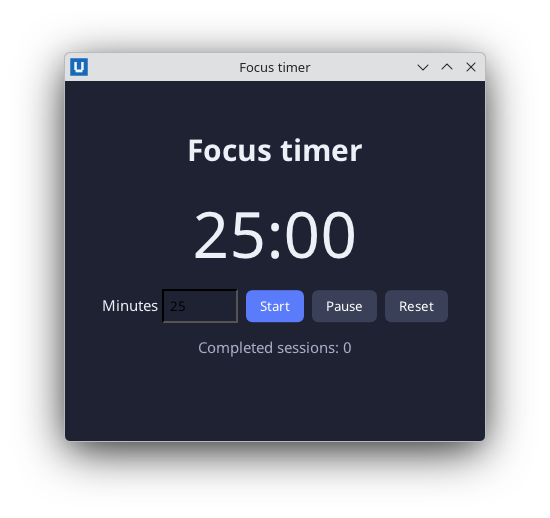
Real capture on KDE Plasma 6.6 Wayland with the released packages.
Start-up phase
Between connecting and app.run() (which sends app.ready) the application is starting:
- create at least one window first:
app.readywithout a window fails (RpcError-32008); - if the user closes a window, or Python closes the last window, before
app.ready, the host cancels start-up and stops; - the host allows
startup_timeout_ms(default 30 s) for reaching ready.
Do slow initialisation after run() started (in a thread) or show a "Loading…" page first.
Quitting
| Trigger | What happens |
|---|---|
| User closes the last window | on_before_close of that window, then on_before_quit (reason last_window), then shutdown |
window.request_close() on the last window |
the same |
app.request_quit() |
on_before_quit (reason backend_request), then shutdown |
on_before_quit returns False |
the application keeps running |
| Ctrl+Shift+Q in a window | forced quit without asking; the backend is killed |
Shutdown: the host sends app.shutdown with a deadline (shutdown_timeout_ms, default 5 s). The
SDK delivers events that arrived before it, retires all handles, runs on_shutdown callbacks in
the thread of app.run(), and run() returns. Your process must exit before the deadline.
app.on_before_quit(lambda: not editor.dirty or confirm_in_dialog())
app.on_shutdown(lambda: save_state(state_file))       # no window/document calls here
app.close() (or leaving the with block early) disconnects at once: run() returns, but the
host treats the lost connection as an application failure (exit status 1). Use request_quit() to
end deliberately.
Errors
An exception that escapes main() inside the with block is printed (with traceback, before the
connection closes) and the host exits with status 1. Exceptions in callbacks are printed and the
application continues. If the host disappears, run() raises DisconnectedError.
Single instance
Application.start(instance="single") (the default) hands a second launch of the same app id to
the running application instead of starting another one. instance="multiple" allows
independent copies.
Source: nativehtmlkit-python/docs/guides/lifecycle.md · edit the page there.