Updating the page
Text, values, attributes, classes
document.set_text("title", f"Hello, {name}")              # plain text, safe for any string
document.set_value("email", "ada@example.org")            # input/textarea/select value
document.set_checked("remember", True)
document.set_attribute("save", "disabled", "")            # boolean attribute on
document.remove_attribute("save", "disabled")
document.set_attribute("bar", "style", "width:40%")       # inline style
document.add_class("row-4", "selected")
document.remove_class("row-4", "selected")
Read back with get_text, get_value, get_checked, and for attributes
document.command("get_attribute", element="bar", name="style")["value"].
Prefer toggling classes and letting CSS do the work. For example, to filter a log by level, give each row its level as a class and switch one class on the container instead of re-rendering rows:
#log.min-WARN .DEBUG, #log.min-WARN .INFO { display: none; }
document.remove_class("log", "min-INFO"); document.add_class("log", "min-WARN")
The hidden attribute works too: set_attribute(id, "hidden", "") / remove_attribute(id, "hidden").
Render a list or table from data
Build markup with escaped values and replace the container's children:
import html

def render(items):
    rows = "".join(
        f'<li id="item-{item.id}"><span class="name">{html.escape(item.name)}</span>'
        f'<button id="item-{item.id}-delete">Delete</button></li>' for item in items)
    document.replace_html("items", rows or '<li class="empty">Nothing here</li>')
Re-rendering a list of a few hundred rows this way is simple and fast. Handlers delegated to the
container (element="items") keep working. Table rows (<tr>) can be rendered into a <tbody id>.
(data_table.py, process_viewer.py)
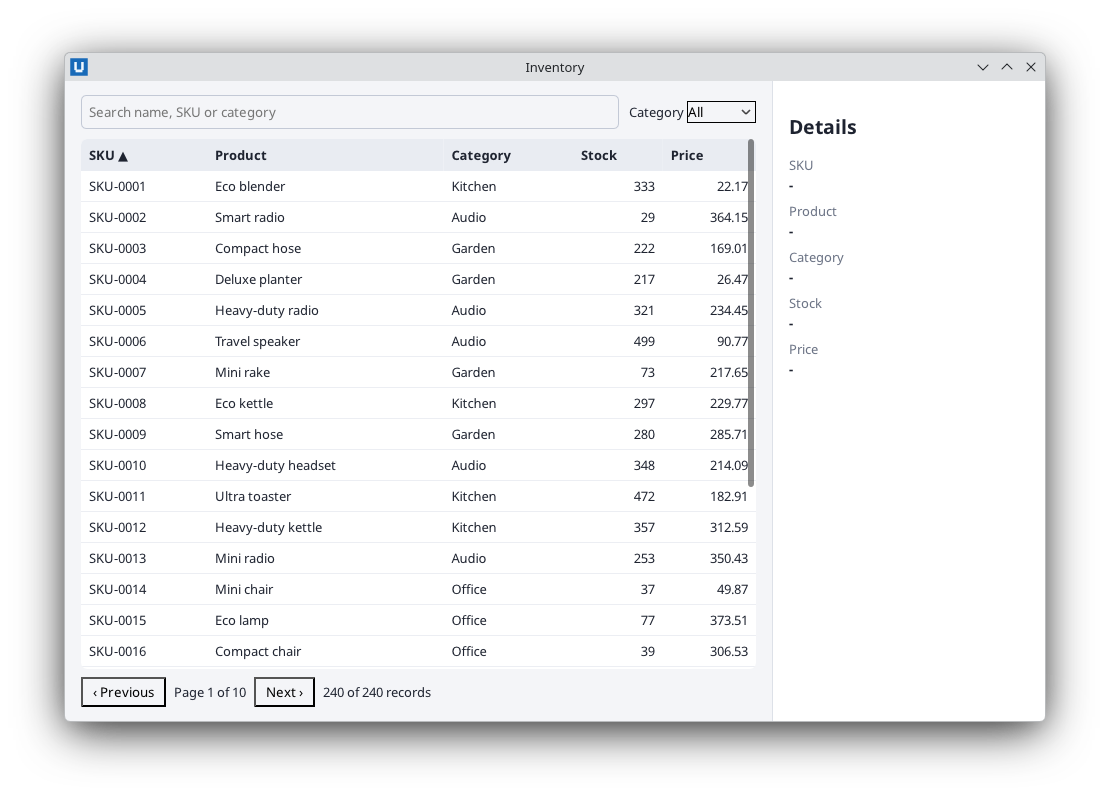
Real capture on KDE Plasma 6.6 Wayland with the released packages.
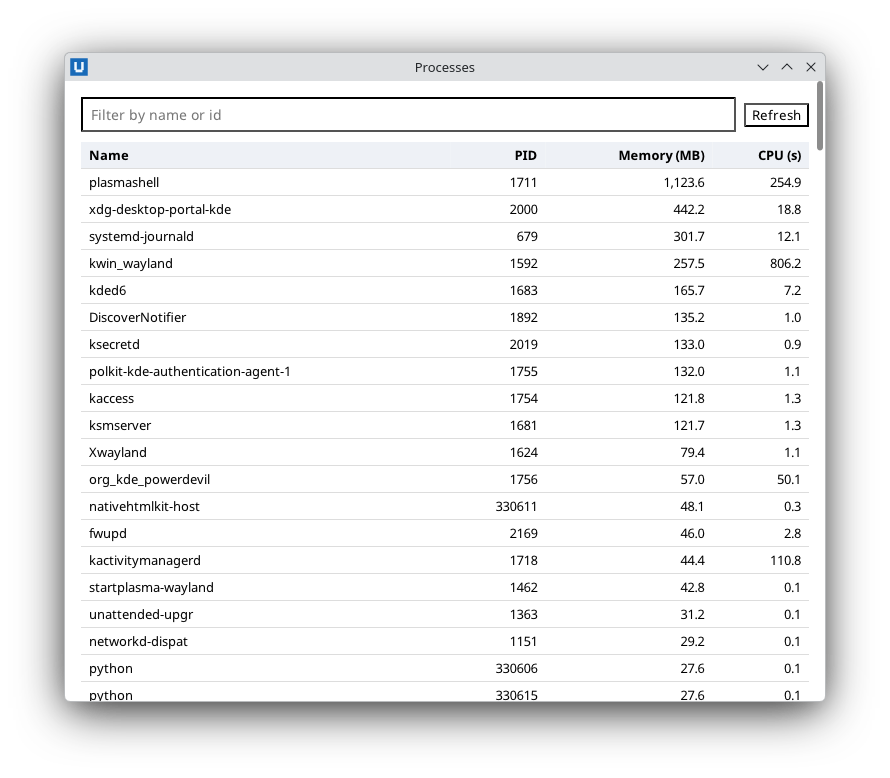
Real capture on KDE Plasma 6.6 Wayland with the released packages.
Keep accessibility attributes in step with the view, for example the sort state of a column
header: {"op": "set_attribute", "element": "col-Name", "name": "aria-sort", "value": "ascending"}.
Append without re-rendering
document.insert_html("log", f'<div class="line">{html.escape(text)}</div>')   # position="beforeend"
document.insert_html("log", "<div>first</div>", position="afterbegin")
position is beforebegin, afterbegin, beforeend or afterend.
Batch several changes
document.batch([...]) applies up to 1024 operations in one round trip and one transaction:
all are applied or none.
document.batch([
    {"op": "insert_html", "element": "log", "position": "beforeend", "html": rows},
    {"op": "trim_children", "element": "log", "keep": 500, "from": "start"},   # drop oldest rows
    {"op": "set_text", "element": "count", "text": f"{total} records"},
])
Batch ops: set_text, set_attribute, remove_attribute, add_class, remove_class,
insert_html, replace_children_html, remove_element, move_element, append_text,
trim_children. If one fails (say, an unknown id), the error names it and nothing changed.
A batch is also the way to keep related changes consistent. The counter example updates the number, two state classes and a bounded history in one transaction (counter.py):
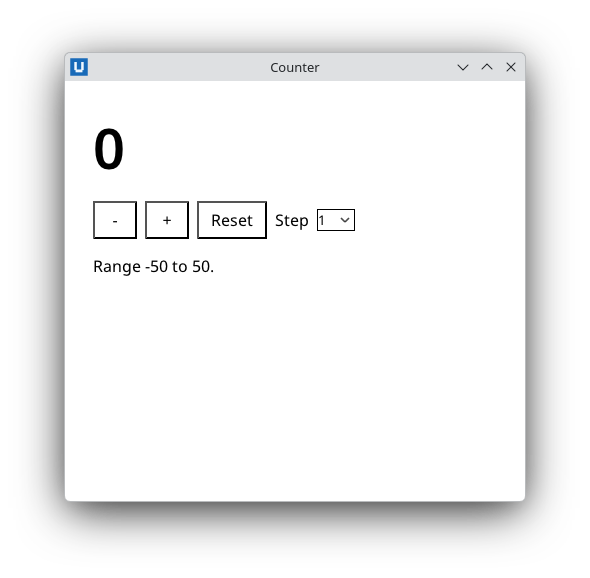
Real capture on KDE Plasma 6.6 Wayland with the released packages.
document.batch([
    {"op": "set_text", "element": "value", "text": str(value)},
    {"op": "add_class" if value < 0 else "remove_class", "element": "value", "name": "negative"},
    {"op": "insert_html", "element": "history", "position": "afterbegin",
     "html": f"<li>{html.escape(f'{reason} -> {value}')}</li>"},
    {"op": "trim_children", "element": "history", "keep": 8, "from": "end"},   # drop the oldest
])
trim_children keeps keep children and removes the rest from the start or the end.
Elements without ids
Use nodes:
first_item = document.node(reference=document.query_nodes("#menu li")["nodes"][0]["node"])
first_item.add_class("active")
document.node("menu").trim_children(10)          # keep the 10 newest children
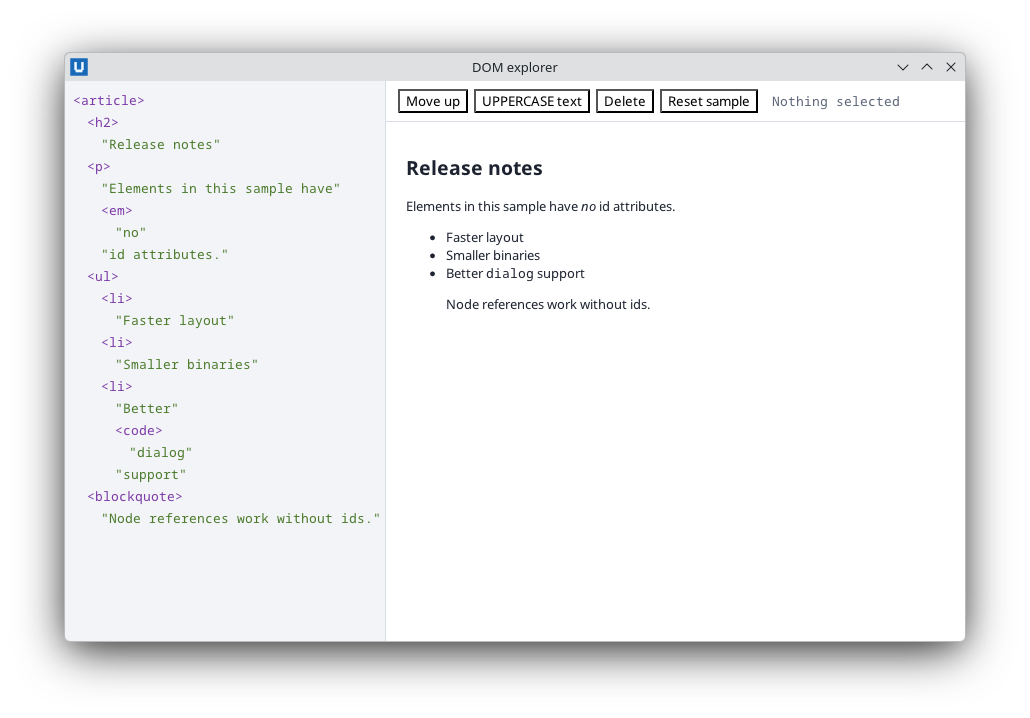
Real capture on KDE Plasma 6.6 Wayland with the released packages.
Counting and finding
document.query_nodes(".line.ERROR")["total"]     # number of matches
document.query("#todos li")["ids"]                # ids of matching elements that have one
document.command("has_element", element="todo-3")["exists"]
Styles at run time
sheet = document.add_stylesheet(":root { --accent: #c2410c; }")["sheet"]
document.replace_stylesheet(sheet, ":root { --accent: #2563eb; }")
document.computed_style(["color", "display"], "status")["properties"]["display"]["value"]
document.set_environment(color_scheme="dark")      # drives @media (prefers-color-scheme: dark)
Scrolling
document.scroll_into_view("row-120", block="center")
document.command("set_scroll_follow", element="log", follow=True)   # stay at the end as rows arrive
document.scroll_to(y=0)
Loading a whole new page
window.load_html(html) / window.load_file(path) replaces the document. The previous Document,
its nodes and subscriptions become stale: register handlers again on the new window.document.
Inline HTML is limited to 1 MiB; keep large content in files or render it in pages.
Source: nativehtmlkit-python/docs/guides/updating-the-page.md · edit the page there.