Snippet editor
A snippet editor with keyboard shortcuts, Tab indentation and selection handling.
Same example in Python: Snippet editor
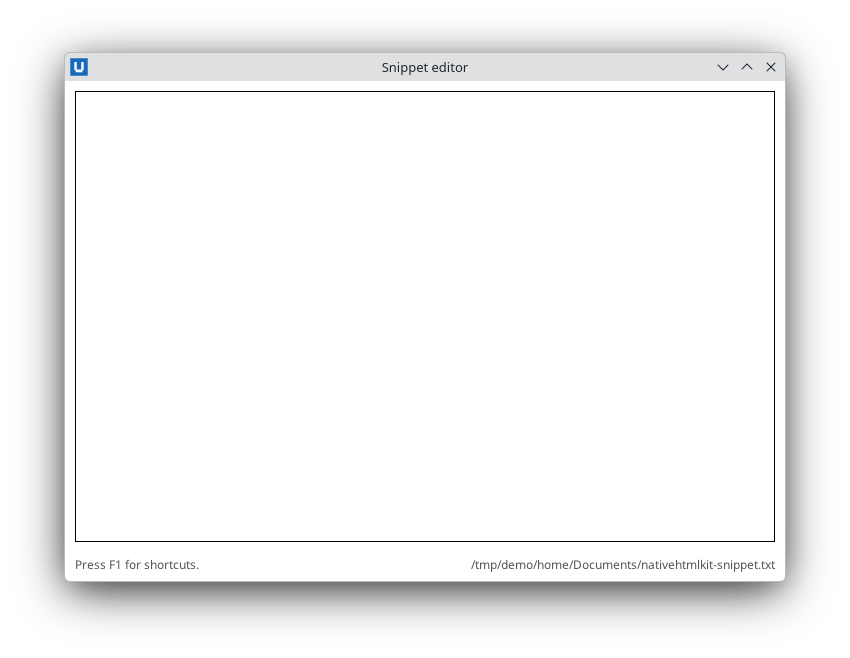
Real capture on KDE Plasma 6.6 Wayland with the released packages.
What it teaches: keydown chords; Set-NativeHTMLKitPreventDefault; inserting at the caret; selection.
Run it
pwsh -File 13-keyboard-shortcuts.ps1
Related guide: keyboard and focus
Source: 13-keyboard-shortcuts.ps1
# 13-keyboard-shortcuts.ps1 - a snippet editor with keyboard shortcuts.
#
# Teaches: keydown events (key, ctrl, shift, alt, meta), a shortcut table that maps chords
# such as 'ctrl+s' to actions, Set-NativeHTMLKitPreventDefault (registered BEFORE the key
# is pressed, because callbacks run after native dispatch) so Tab indents instead of moving
# focus, inserting text at the caret with the replace_control_range document command, and
# Get-/Set-NativeHTMLKitSelection.
#
# Shortcuts: Tab indent, Ctrl+S save, Ctrl+L insert timestamp, Ctrl+Shift+U upper-case the
# selection, F1 show/hide help, Escape hide help.
#
# Run:  pwsh -File ./13-keyboard-shortcuts.ps1 [-Path snippet.txt]
#       powershell.exe -NoProfile -File .\13-keyboard-shortcuts.ps1
# Default file: <Documents>/nativehtmlkit-snippet.txt.
# -SelfTest runs the shortcut actions through the public API (no real key presses) and quits.
param([string]$Path, [switch]$SelfTest)
$ErrorActionPreference = 'Stop'
Import-Module NativeHTMLKit

$app = Start-NativeHTMLKitScript -Name 'Snippet editor'
try {
    if ($SelfTest) { $Path = Join-Path ([IO.Path]::GetTempPath()) ('nhk-snippet-' + [guid]::NewGuid().ToString('N') + '.txt') }
    if (-not $Path) { $Path = Join-Path ([Environment]::GetFolderPath([Environment+SpecialFolder]::MyDocuments, [Environment+SpecialFolderOption]::Create)) 'nativehtmlkit-snippet.txt' }

    $window = New-NativeHTMLKitWindow -Application $app -Title 'Snippet editor' -Width 720 -Height 500
    $doc = Open-NativeHTMLKitHtml -Window $window -Html @'
<!doctype html>
<html><head><style>
  body { font-family: system-ui, sans-serif; margin: 0; display: flex; flex-direction: column; height: 100vh; }
  #editor { flex: 1; margin: 10px; font: 14px/1.45 monospace; padding: 8px; tab-size: 4; }
  footer { display: flex; justify-content: space-between; padding: 4px 10px 8px; font-size: 12px; color: #555; }
  #help { padding: 12px 16px; font-size: 13px; }
  #help kbd { border: 1px solid #aaa; border-radius: 3px; padding: 0 4px; font-family: monospace; }
</style></head>
<body>
  <textarea id="editor" aria-label="Snippet" autofocus></textarea>
  <footer><span id="status" role="status">Press F1 for shortcuts.</span><span id="file"></span></footer>
  <div id="help" popover>
    <strong>Shortcuts</strong><br>
    <kbd>Tab</kbd> indent - <kbd>Ctrl+S</kbd> save - <kbd>Ctrl+L</kbd> timestamp<br>
    <kbd>Ctrl+Shift+U</kbd> upper-case selection - <kbd>F1</kbd>/<kbd>Esc</kbd> help
  </div>
</body></html>
'@
    Set-NativeHTMLKitDocumentText -Document $doc -Element file -Text $Path
    if (Test-Path -LiteralPath $Path) { Set-NativeHTMLKitDocumentValue -Document $doc -Element editor -Value ([IO.File]::ReadAllText($Path)) }

    # Default actions must be cancelled before the key arrives: callbacks only run after
    # native dispatch. Tab (without Shift) in the editor no longer moves focus.
    Set-NativeHTMLKitPreventDefault -Document $doc -Element editor -EventType keydown -Key Tab -Shift $false

    function Set-Status([string]$Text) { Set-NativeHTMLKitDocumentText -Document $doc -Element status -Text $Text }
    function Add-TextAtCaret([string]$Text) {
        # Without start/end, replace_control_range replaces the current selection (or inserts at the caret).
        $null = Invoke-NativeHTMLKitDocumentCommand -Document $doc -Operation replace_control_range -Parameters @{ element = 'editor'; replacement = $Text; selection_mode = 'end' }
    }

    $shortcuts = @{
        'tab' = { Add-TextAtCaret '    ' }
        'ctrl+s' = {
            [IO.File]::WriteAllText($Path, (Get-NativeHTMLKitValue -Document $doc -Element editor), (New-Object Text.UTF8Encoding($false)))
            Set-Status ('Saved ' + (Get-Date).ToString('T'))
        }
        'ctrl+l' = { Add-TextAtCaret ((Get-Date).ToString('yyyy-MM-dd HH:mm')) }
        'ctrl+shift+u' = {
            # start/end are UTF-16 offsets; 'length' is the length of the whole value.
            $selection = Get-NativeHTMLKitSelection -Document $doc -Element editor
            $count = $selection.end - $selection.start
            if ($count -le 0) { Set-Status 'Select some text first.'; return }
            $text = Get-NativeHTMLKitValue -Document $doc -Element editor
            Add-TextAtCaret $text.Substring($selection.start, $count).ToUpperInvariant()
        }
        'f1' = { $null = Show-NativeHTMLKitPopover -Document $doc -Element help -Action toggle }
        'escape' = { $null = Show-NativeHTMLKitPopover -Document $doc -Element help -Action hide }
    }

    function ConvertTo-Chord($KeyEvent) {
        $parts = @()
        if ($KeyEvent.ctrl) { $parts += 'ctrl' }
        if ($KeyEvent.alt) { $parts += 'alt' }
        if ($KeyEvent.shift) { $parts += 'shift' }
        if ($KeyEvent.meta) { $parts += 'meta' }
        $parts += ([string]$KeyEvent.key).ToLowerInvariant()
        return ($parts -join '+')
    }

    # Without -Element the handler receives every keydown in the document.
    $null = Register-NativeHTMLKitDocumentEvent -Document $doc -Type keydown -Callback {
        param($evt)
        $chord = ConvertTo-Chord $evt
        if ($shortcuts.ContainsKey($chord)) { & $shortcuts[$chord] }
    }

    Set-NativeHTMLKitReady -Application $app

    if ($SelfTest) {
        function Send-Chord([string]$Key, [switch]$Ctrl, [switch]$Shift) {
            # The same object shape a real keydown event has (only the fields used here).
            $fake = [pscustomobject]@{ type = 'keydown'; key = $Key; ctrl = [bool]$Ctrl; shift = [bool]$Shift; alt = $false; meta = $false }
            & $shortcuts[(ConvertTo-Chord $fake)]
        }
        Set-NativeHTMLKitDocumentValue -Document $doc -Element editor -Value 'ab'
        $null = Set-NativeHTMLKitSelection -Document $doc -Element editor -Start 1 -End 1
        Send-Chord 'Tab'
        if ((Get-NativeHTMLKitValue -Document $doc -Element editor) -ne 'a    b') { throw 'Tab did not indent at the caret' }
        $null = Set-NativeHTMLKitSelection -Document $doc -Element editor -Start 0 -End 1
        Send-Chord 'U' -Ctrl -Shift
        if ((Get-NativeHTMLKitValue -Document $doc -Element editor) -ne 'A    b') { throw 'upper-case failed' }
        Send-Chord 's' -Ctrl
        if ([IO.File]::ReadAllText($Path) -ne 'A    b') { throw 'save failed' }
        Send-Chord 'F1'
        if (-not (Invoke-NativeHTMLKitDocumentCommand -Document $doc -Operation get_popover -Parameters @{ element = 'help' }).open) { throw 'help did not open' }
        Send-Chord 'Escape'
        if ((Invoke-NativeHTMLKitDocumentCommand -Document $doc -Operation get_popover -Parameters @{ element = 'help' }).open) { throw 'help did not close' }
        Remove-Item -LiteralPath $Path -Force
        [Console]::Out.WriteLine('SELFTEST PASS 13-keyboard-shortcuts')
        $null = Request-NativeHTMLKitQuit -Application $app
    }

    Wait-NativeHTMLKit -Application $app -UntilShutdown
} finally {
    Close-NativeHTMLKit -Application $app
}