asyncio integration
Use asyncio when your application already is async (network clients, async libraries) or when many concurrent tasks are easier to express as coroutines than as threads.
Start
import asyncio
from nativehtmlkit import Application

async def amain(app: Application) -> None:
    # Synchronous SDK calls block: run them off the loop.
    window = await asyncio.to_thread(app.open_html, PAGE, title="Downloads")
    adapter = app.async_adapter()             # create inside the running loop
    ...
    await adapter.run()                       # returns when the app shuts down

def main() -> None:
    with Application.start(name="Downloads") as app:
        asyncio.run(amain(app))

if __name__ == "__main__":
    main()
Async callbacks
async def on_start(event):
    task = asyncio.create_task(download(event["element"]))   # long work: its own task
    tasks.add(task)

adapter.on_document_event(window.document, "click", on_start, element="downloads")
Callbacks run on your loop, one after another (FIFO). A callback that awaits holds up the next event until it finishes; start a task for work that should run in parallel.
Awaitable document updates
adapter.rpc.call is the awaitable form of every host request. A small helper keeps call sites
short:
async def command(op: str, **fields):
    return await adapter.rpc.call("document.command", {
        "window_id": window.id, "document_id": window.document.id,
        "command": {"op": op, **fields}})

await command("set_text", element="status", text="Downloading…")
await command("set_attribute", element="bar", name="style", value=f"width:{percent}%")
value = (await command("get_value", element="url"))["value"]
The ops and fields are those of Document.command.
Default timeout 15 s (timeout=None to wait indefinitely); cancelling the awaiting task asks the
host to cancel.
Mixing in the synchronous API
Every synchronous method works from asyncio through asyncio.to_thread:
await asyncio.to_thread(window.document.set_text, "status", "Done")
await asyncio.to_thread(app.request_quit)
Calling a synchronous method directly on the loop blocks every task until the host answers; the
SDK warns once with a RuntimeWarning.
Cancellation and shutdown
await adapter.run() returns after an orderly shutdown; afterwards the adapter's subscriptions are
disposed. Cancel your own tasks then:
try:
    await adapter.run()
finally:
    for task in tasks:
        task.cancel()
Cancelling the task that awaits adapter.run() closes the connection (the host then reports an
application failure); quit with request_quit for an orderly end.
The host-first runner
uv run -m nativehtmlkit run app:amain calls amain(app), runs the returned coroutine with
asyncio.run and then calls app.run(). Because amain awaited adapter.run(), that final
call returns at once.
Examples: async_counter.py (minimal), async_jobs.py (concurrent jobs with progress and cancel). Reference: asyncio.
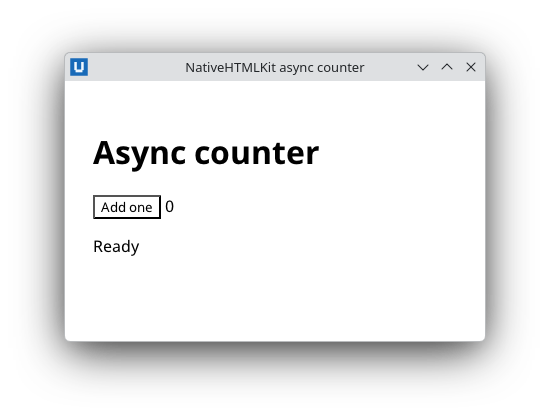
Real capture on KDE Plasma 6.6 Wayland with the released packages.
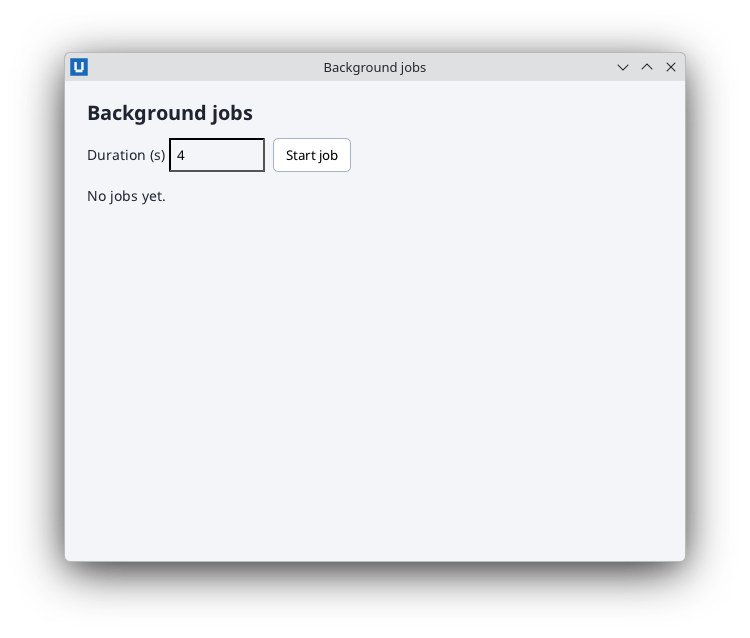
Real capture on KDE Plasma 6.6 Wayland with the released packages.
Source: nativehtmlkit-python/docs/guides/asyncio.md · edit the page there.