Counter
A counter with a step selector, limits and a bounded change history.
Same example in PowerShell: Counter
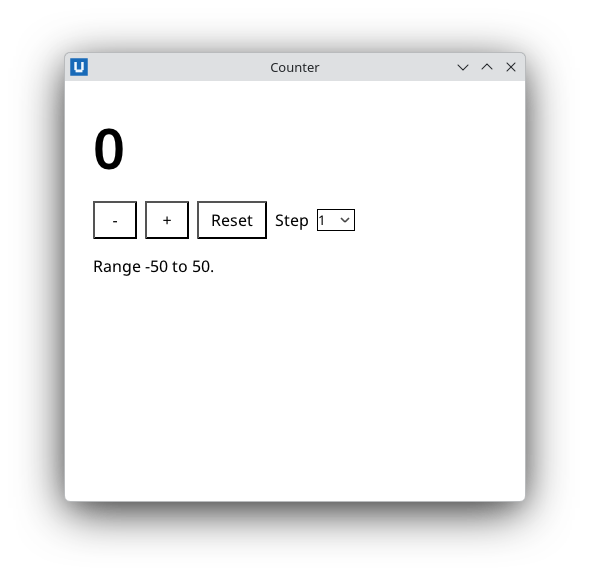
Real capture on KDE Plasma 6.6 Wayland with the released packages.
What it teaches: shared state; event delegation; batch updates; trim_children.
Run it
uv init --app myapp && cd myapp    # once: a uv project for your app
uv add nativehtmlkit
# save the example file(s) in the project folder, then:
uv run counter.py
Related guide: updating the page
Source: counter.py
"""Counter: a counter with a step selector, limits and a change history.

What it teaches
  * application state in one object that every callback shares
  * one click handler for several buttons (event delegation: ``event["element"]`` is the id of
    the clicked button)
  * reading a ``<select>`` with ``get_value``
  * atomic multi-element updates with ``Document.batch`` (one host transaction)
  * a bounded list: ``insert_html`` at the top plus ``trim_children``

Run:  uv run counter.py
"""
from __future__ import annotations

import html

from nativehtmlkit import Application, Document

PAGE = """<!doctype html>
<html><head><meta charset="utf-8"><style>
  body { font-family: system-ui, sans-serif; margin: 28px; }
  #value { font-size: 56px; font-weight: 600; margin: 8px 0 16px; }
  #value.negative { color: #b3261e; }
  #value.at-limit { text-decoration: underline; }
  .row { display: flex; gap: 8px; align-items: center; }
  button { min-width: 44px; padding: 6px 12px; font-size: 16px; }
  #history { color: #555; font-size: 13px; }
</style></head>
<body>
  <div id="value" aria-live="polite">0</div>
  <div class="row" id="buttons">
    <button id="dec" aria-label="Decrease">-</button>
    <button id="inc" aria-label="Increase">+</button>
    <button id="reset">Reset</button>
    <label for="step">Step</label>
    <select id="step"><option>1</option><option>5</option><option>10</option></select>
  </div>
  <p id="limits">Range -50 to 50.</p>
  <ol id="history" reversed></ol>
</body></html>"""

MINIMUM, MAXIMUM, HISTORY = -50, 50, 8


class Counter:
    def __init__(self, document: Document):
        self.document = document
        self.count = 0
        # One handler on the button row: event["element"] is the id of the clicked element.
        document.on("click", self.on_click, element="buttons")

    def step(self) -> int:
        return int(self.document.get_value("step"))

    def set_count(self, value: int, reason: str) -> None:
        value = max(MINIMUM, min(MAXIMUM, value))
        self.count = value
        # One transaction: the value, its classes and the history entry change together.
        self.document.batch([
            {"op": "set_text", "element": "value", "text": str(value)},
            {"op": "add_class" if value < 0 else "remove_class", "element": "value", "name": "negative"},
            {"op": "add_class" if value in (MINIMUM, MAXIMUM) else "remove_class", "element": "value",
             "name": "at-limit"},
            {"op": "insert_html", "element": "history", "position": "afterbegin",
             "html": f"<li>{html.escape(f'{reason} -> {value}')}</li>"},
            {"op": "trim_children", "element": "history", "keep": HISTORY, "from": "end"},
        ])

    def on_click(self, event: dict) -> None:
        step = self.step()
        if event["element"] == "inc":
            self.set_count(self.count + step, f"+{step}")
        elif event["element"] == "dec":
            self.set_count(self.count - step, f"-{step}")
        elif event["element"] == "reset":
            self.set_count(0, "reset")


def build(app: Application) -> Counter:
    window = app.open_html(PAGE, title="Counter", width=460, height=420, min_width=360, min_height=320)
    return Counter(window.document)


def main() -> None:
    with Application.start(name="Counter") as app:
        build(app)
        app.run()


if __name__ == "__main__":
    main()