Hello
The smallest complete app: a greeting form that writes untrusted text safely.
Same example in Python: Hello
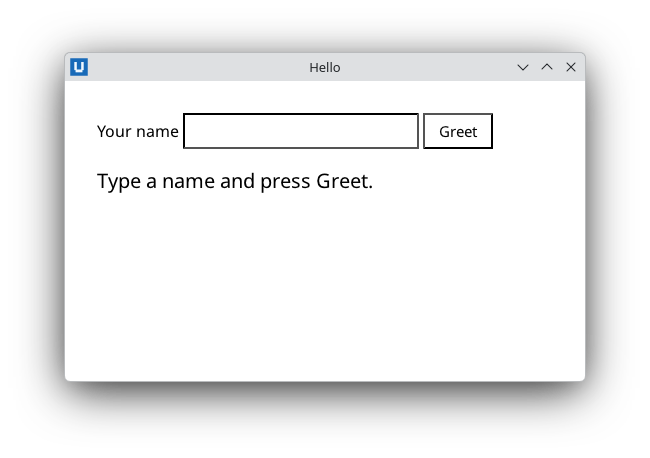
Real capture on KDE Plasma 6.6 Wayland with the released packages.
What it teaches: application lifecycle; Get-NativeHTMLKitValue; Set-NativeHTMLKitDocumentText.
Run it
pwsh -File 01-hello.ps1
Related guide: lifecycle
Source: 01-hello.ps1
# 01-hello.ps1 - the smallest complete NativeHTMLKit app: a greeting form.
#
# Teaches: the script lifecycle (Start-NativeHTMLKitScript -> window -> document ->
# events -> Set-NativeHTMLKitReady -> Wait-NativeHTMLKit -> Close-NativeHTMLKit), reading
# an input value and writing untrusted text safely with Set-NativeHTMLKitDocumentText.
#
# Run:  pwsh -File ./01-hello.ps1
#       powershell.exe -NoProfile -File .\01-hello.ps1     (Windows PowerShell 5.1)
# -SelfTest drives the app through the public API and quits (used by tests/Examples.Tests.ps1).
param([switch]$SelfTest)
$ErrorActionPreference = 'Stop'
Import-Module NativeHTMLKit

# Start-NativeHTMLKitScript runs this script a second time as the host's backend.
# Everything above this line runs twice; keep side effects below it.
$app = Start-NativeHTMLKitScript -Name 'Hello NativeHTMLKit'
try {
    $window = New-NativeHTMLKitWindow -Application $app -Title 'Hello' -Width 520 -Height 300
    $doc = Open-NativeHTMLKitHtml -Window $window -Html @'
<!doctype html>
<html><head><style>
  body { font-family: system-ui, sans-serif; margin: 32px; }
  input { padding: 6px 8px; font-size: 15px; }
  button { padding: 6px 14px; font-size: 15px; }
  #greeting { margin-top: 18px; font-size: 20px; }
</style></head>
<body>
  <label for="name">Your name</label>
  <input id="name" autofocus>
  <button id="greet">Greet</button>
  <p id="greeting">Type a name and press Greet.</p>
</body></html>
'@

    function Update-Greeting {
        $name = (Get-NativeHTMLKitValue -Document $doc -Element name).Trim()
        if (-not $name) { $name = 'world' }
        # Text is never parsed as HTML: '<b>' typed by the user stays visible as '<b>'.
        Set-NativeHTMLKitDocumentText -Document $doc -Element greeting -Text "Hello, $name!"
    }

    $null = Register-NativeHTMLKitDocumentEvent -Document $doc -Type click -Element greet -Callback { Update-Greeting }

    Set-NativeHTMLKitReady -Application $app

    if ($SelfTest) {
        Set-NativeHTMLKitDocumentValue -Document $doc -Element name -Value '  <b>Ada</b> '
        Update-Greeting
        $shown = Get-NativeHTMLKitDocumentText -Document $doc -Element greeting
        if ($shown -ne 'Hello, <b>Ada</b>!') { throw "unexpected greeting: $shown" }
        [Console]::Out.WriteLine('SELFTEST PASS 01-hello')
        $null = Request-NativeHTMLKitQuit -Application $app
    }

    # Runs callbacks on this runspace until the user closes the last window.
    Wait-NativeHTMLKit -Application $app -UntilShutdown
} finally {
    Close-NativeHTMLKit -Application $app
}