How to start a new app project
Reference: New-NativeHTMLKitProject. A complete multi-file app: examples/bulk-rename.
Generate a project
Install-Module NativeHTMLKit -Scope CurrentUser
New-NativeHTMLKitProject -Path ./InventoryTool -Name 'Inventory tool' -AppId 'org.example.InventoryTool'
pwsh -File ./InventoryTool/app.ps1            # or: powershell.exe -NoProfile -File .\InventoryTool\app.ps1
The folder contains:
| File | Purpose |
|---|---|
app.ps1 |
The backend script: Start-NativeHTMLKitScript, window, Open-NativeHTMLKitFile index.html, one click handler, ready, wait, close. Saved as UTF-8 with BOM for Windows PowerShell 5.1. |
index.html |
The page: a name field, a Greet button and a result line. |
style.css |
Light/dark styles using prefers-color-scheme. |
app.toml |
Optional manifest for deployments that start the host themselves. |
The generated app runs unchanged; tests/Examples.Tests.ps1 starts one in headless mode.
Grow it
- Keep markup in
index.htmland styles instyle.css; reference images and fonts with relative URLs, which resolve against the HTML file's folder. - Keep logic in functions in
app.ps1(or dot-source helper.ps1files from$PSScriptRootbelowStart-NativeHTMLKitScript). Make the logic that does not touch the UI pure, so it can be tested with Pester without a host, likeGet-RenamePlanin bulk-rename/app.ps1. - Add a
-SelfTestswitch that drives the app through the SDK and quits, and run it in CI withNATIVEHTMLKIT_TEST_MODE=1(see the examples).
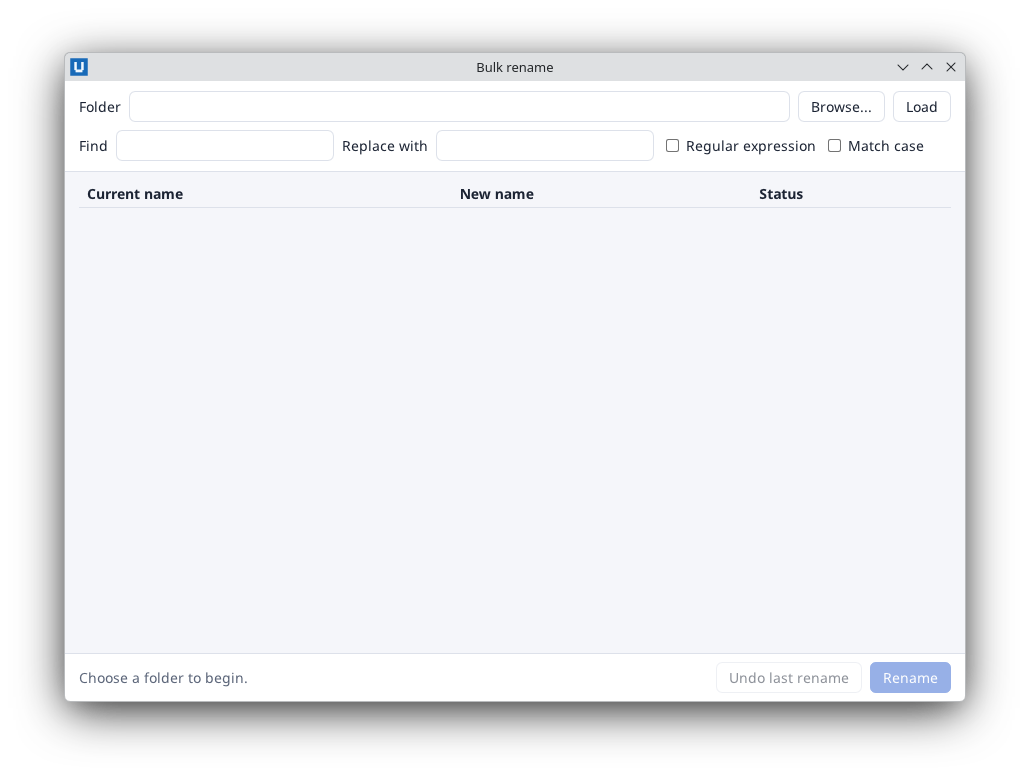
Real capture on KDE Plasma 6.6 Wayland with the released packages.
The manifest (app.toml)
[app]
id = "org.example.InventoryTool"
name = "Inventory tool"
version = "1.0.0"

[backend]
program = "pwsh"                 # "powershell.exe" with -WindowsPowerShell
args = ["-NoLogo", "-NoProfile", "-NonInteractive", "-ExecutionPolicy", "Bypass", "-File", "{app_dir}/app.ps1"]
cwd = "{app_dir}"

[host]
startup_timeout_ms = 30000
shutdown_timeout_ms = 5000
max_windows = 8
instance = "single"
Start it with Start-NativeHTMLKitHost -Manifest ./app.toml (waits) or -NoWait (returns the
host process). {app_dir} is the manifest's folder. For everyday development you do not need the
manifest: Start-NativeHTMLKitScript writes an equivalent one for each run.
Identity and instances
The AppId identifies the app to the desktop and decides single-instance forwarding. Use your own
reverse-DNS name and keep it stable across versions. -Instance multiple (or instance =
"multiple") allows several copies at once.
Distributing
Users need the NativeHTMLKit module (which bundles the native host for Linux x64 and Windows
x64) and your project folder. Declare the dependency in your own module manifest
(RequiredModules = @(@{ ModuleName = 'NativeHTMLKit'; ModuleVersion = '0.1.2' })) or install it in
your setup script with Install-Module NativeHTMLKit -Scope CurrentUser.
Source: nativehtmlkit-powershell/docs/guides/project-scaffolding.md · edit the page there.