Multiple windows and window state
Open more windows
main = app.open_html(MAIN_PAGE, title="Library", width=900, height=600)
detail = app.open_html(DETAIL_PAGE, title="Book", width=420, height=520, min_width=320, min_height=300)
Each window has its own document and its own subscriptions. Windows are limited by
Application.start(max_windows=...) (default 16, host maximum 64); the host admits 16 live
documents. Creating more fails with RpcError -32005.
Read and change state
state = window.state()
state["title"], state["width"], state["height"]            # as requested, logical pixels
state["observed"]["maximized"]                              # what the platform reports, or None
window.set(title="Book — edited", width=640, height=480)
window.set(maximized=True)
window.set(resizable=False)
window.set(min_width=320, min_height=240)                   # constraints come in pairs
set returns the new state. Platform policy is reported as RpcError -32001: on Linux the
Wayland compositor decides placement and focus, so x/y, focus=True, visible= on an existing
window and minimized=False are refused there. Catch the error where you use them:
from nativehtmlkit import RpcError
try:
    window.set(x=100, y=80)
except RpcError as error:
    if error.code != -32001:
        raise
app.rpc.call("window.list") returns the state of every open window.
React to window changes
def on_window(params):
    kind, window_id = params["type"], params["window_id"]
    if kind == "closed":
        forget(window_id)              # the Window object is already marked closed
    elif kind == "resized":
        relayout(params["data"]["physical_width"])

app.on_window_event(on_window)
Ask before closing a window
def allow_close() -> bool:
    if note.dirty:
        note.document.add_class("unsaved-warning", "shown")   # tell the user why
        return False                                          # keep the window open
    return True

note_window.on_before_close(allow_close)
The policy runs for the user's close button and for window.request_close(). Return quickly:
the host waits for the answer. To close after the user confirmed, clear the flag and call
request_close() again.
Close a window from Python
detail.request_close()
Closing the last window quits the application (after on_before_quit). To make one window
the "main" window whose closing quits everything, quit when its closed event arrives:
def on_window(params):
    if params["type"] == "closed" and params["window_id"] == main.id:
        app.request_quit()
app.on_window_event(on_window)
Stale windows
After a window closed, window.closed is True and every call on it, its document or nodes raises
StaleDocumentError without contacting the host. Code that keeps windows in a dict should drop them
on closed.
Example: window_manager.py (note windows with unsaved-change guards, a live window table with rename/resize/maximize/close, quit when the main window closes).
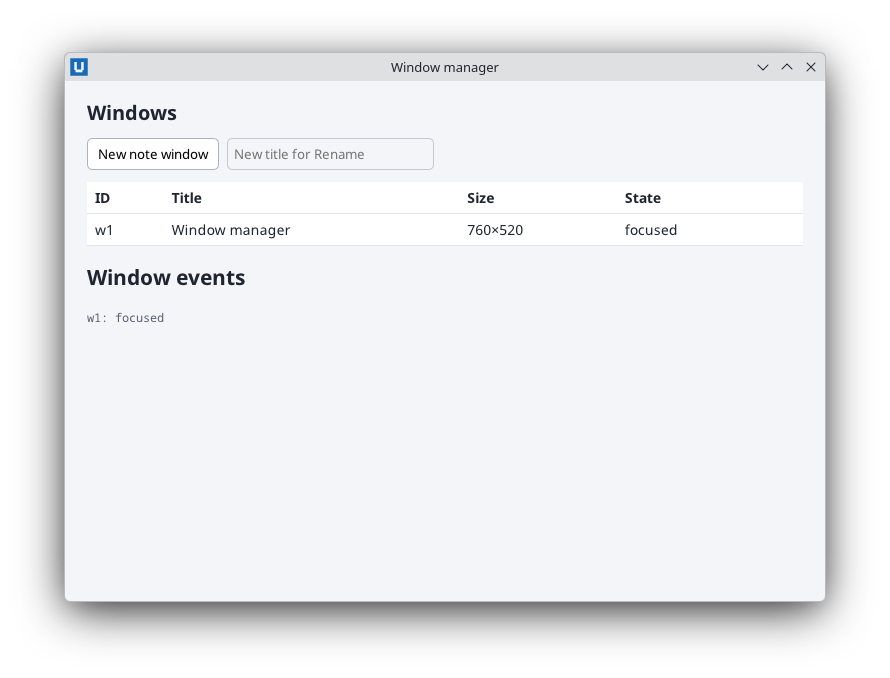
Real capture on KDE Plasma 6.6 Wayland with the released packages.
Source: nativehtmlkit-python/docs/guides/windows.md · edit the page there.