How to draw live images: charts and previews with RGBA bitmaps
Reference: live bitmaps. Example: 12-live-chart.ps1 (a live memory chart).
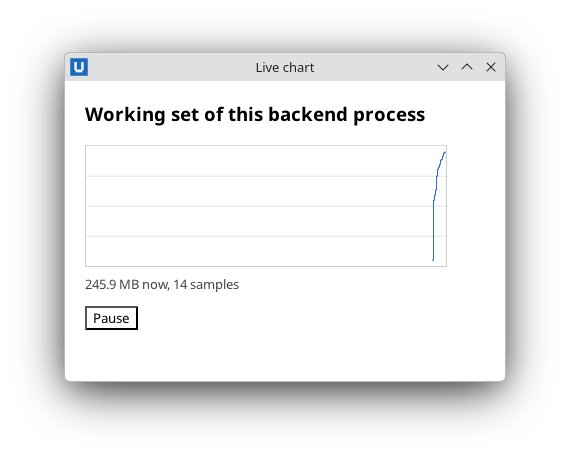
Real capture on KDE Plasma 6.6 Wayland with the released packages.
A live bitmap is a pixel buffer you fill in PowerShell and the document shows through
<img src="nativehtmlkit-bitmap://ID">. Frames go through shared memory created by the host, so a
360x120 frame (about 170 KB) does not travel through the message channel.
Create, draw, present
$doc = Open-NativeHTMLKitHtml -Window $window -Html '<img id="chart" src="nativehtmlkit-bitmap://cpu" style="width:360px;height:120px">'
$bitmap = New-NativeHTMLKitLiveBitmap -Document $doc -Id cpu -Width 360 -Height 120
$frame = New-Object byte[] (360 * 120 * 4)      # R, G, B, A per pixel, rows from the top
# ... set pixels ...
$null = Send-NativeHTMLKitLiveBitmap -Bitmap $bitmap -Pixels $frame
- Pixel format: RGBA8 with straight alpha (not premultiplied). Pixel
(x, y)starts at byte(y * Width + x) * 4. Use alpha 255 for opaque pixels. Send-NativeHTMLKitLiveBitmapreturns after the host copied the frame, so you can reuse the samebyte[]for the next frame.- Size the
<img>with CSS to the bitmap size (or a multiple) for crisp pixels.
Draw fast in PowerShell
Per-pixel loops are slow in PowerShell, especially in Windows PowerShell 5.1. Keep frames small and:
- prepare a background once (fill, grid lines) and start each frame with
[Buffer]::BlockCopy($background, 0, $frame, 0, $background.Length); - draw only what changes: a line chart is a few pixels per column (vertical spans between consecutive points);
- pass a real
byte[]; anobject[]of numbers is converted, which costs extra time.
Animate with a timer
Present new frames from a periodic tick. A background task that only sleeps is a simple timer whose completion runs on the UI runspace:
function Start-Tick {
    $null = Start-NativeHTMLKitTask -Application $app -ScriptBlock { Start-Sleep -Milliseconds 500 } -OnCompleted {
        Add-Sample; $null = Write-Frame
        Start-Tick
    }
}
The tick stops by itself when the application closes. If a callback may run while a present of
the same bitmap is in progress, use Send-NativeHTMLKitLiveBitmap -Try, which returns $null
instead of throwing.
Lifetime
The bitmap belongs to its document. Loading a new document, closing the window or closing the
application releases it; Remove-NativeHTMLKitLiveBitmap releases it earlier and is idempotent.
Source: nativehtmlkit-powershell/docs/guides/live-bitmaps.md · edit the page there.