HTML and CSS support¶
NativeHTMLKit Core renders HTML and CSS with its own native engine: an HTML5 parser (html5ever), the Stylo CSS engine for selectors and the cascade, Taffy plus Core layout code for block, inline, flex, grid and tables, Parley for text, and a CPU rasterizer (vello_cpu). It is built for desktop application interfaces, not for browsing: there is no JavaScript, no network and no navigation. All application logic runs in your backend, which receives events and changes the page through document commands (directly over wire v1 or through an SDK).
This guide describes Core 1.0.3 (CSS profile ui4me-desktop-1.0). It has two companions:
- Generated HTML/CSS profile — tables produced by asking a
live host: the CSS feature profile, ~250 CSS properties, units, selectors, media queries, accepted
markup,
<input type>values and accessibility roles. Prefer it over this page for "is X supported?" questions. - Runtime introspection — the
css_profile,get_computed_style,explain,get_diagnosticsandget_accessibility_treeops answer the same questions for your document.
Statements on this page were checked against the 1.0.3 source and, where headless mode allows, against a running host. Native painting, input, IME and screen-reader behaviour need a real desktop; those statements come from the source and the platform qualification record, not from this run.
Debugging a page that looks wrong¶
get_diagnosticslists what the engine dropped or refused:UNSUPPORTED_FEATURE(with the CSS feature id and a reason such asprofile-disabledornot-consumed-by-stage),RESOURCE_DENIED(a URL outside the allowed sources),RESOURCE_PENDING, parse problems.explain {element, property}says why a declaration has no effect:not_applicable(for example adisplay: noneancestor,widthon an inline box,topon a static element,flex-growon a child of a non-flex container),overridden,unsupported(profile),unknown_property.get_computed_style {element, properties}shows the values the engine computed.add_stylesheetreturns parse diagnostics for the CSS you add (unknown properties with line and column).nativehtmlkit-host render --html page.html --output page.png [--width --height --scale]renders a file to a PNG without a desktop and prints the diagnostics as JSON.
Markup the host refuses¶
A document or inserted fragment containing any of these fails to load with -32602, and the
previous document stays in place (verified, see profile §6):
<script>,<iframe>,<object>,<embed>;- any
on…attribute (event-handler attributes) andsrcdoc; contenteditablewith any value other thanfalse— use<input>or<textarea>;<input type>color,date,time,month,week,datetime-local(no native picker);- duplicate
idvalues, anidcontaining whitespace or longer than 256 bytes; - more than 65,536 nodes, nesting deeper than 256, or more than 1 MiB of HTML.
Accepted but inert: <noscript> is ordinary content (scripting is off), <template> content is not
rendered, custom elements behave as plain elements and declarative shadow roots are not attached.
<canvas>, <video> and <audio controls> produce empty boxes (300x150 px; 300x54 px for audio)
with no drawing API or playback — use a live bitmap for custom pixels.
Elements and links¶
Flow, sectioning, heading, list, table, phrasing, quotation and bidi elements get WHATWG default
styles. <details>/<summary> toggle (including exclusive accordions with a shared name), and
<dialog> and popovers are described below.
Activating an <a href> never navigates. The backend receives a link_activated event with
href and the resolved url and decides what to do (for example desktop.open_external).
:visited never matches.
Forms and controls¶
| Control | Support |
|---|---|
<input> |
text, search, tel, url, email, password, number, range, checkbox, radio, button, submit, reset, image, hidden, file (native picker; the backend gets paths, never contents; ≤1024 files). |
<textarea> |
Multi-line editing; field-sizing is supported. |
<select> |
Drop-down, list box (size > 1), multiple, <optgroup>. |
<button>, <label> |
Activation and label forwarding. |
<progress>, <meter> |
Painted, with accessibility roles. |
<output> |
Plain text. |
<datalist> |
Loads, but no suggestion popup is shown. |
Editing in text controls: caret and selection, IME composition, plain-text clipboard and
per-control undo/redo (100 steps). The edit_command op exposes undo, redo, cut, copy,
paste, select_all and delete; set_control_selection and replace_control_range give precise
programmatic editing.
Constraint validation: required, minlength/maxlength, pattern (anchored), type=email,
type=url, type=number with min/max/step, and custom messages (set_custom_validity), with
the standard validity flags and :valid/:invalid. As in browsers, minlength is only checked after
the value changed (a too-short initial value attribute is valid). Messages are fixed English
strings (for example Please enter a URL.) and no validation bubble is shown — display your own,
typically from the invalid event.
Submission never navigates or sends anything. A valid submission fires a cancelable submit
event (with the submitter); invalid controls get invalid events and the first one is focused.
get_form_data returns entries in document order ({name, kind, value}, file entries with
path/filename); request_submit and reset_form drive forms from the backend. Programmatic
set_value/set_checked/set_selected_values do not fire input or change.
Dialogs, popovers, focus and selection¶
<dialog>: non-modal and modal (top layer,::backdrop,:modal, the rest of the page inert). Escape on a modal dialog sends a cancelablecancel, thenclosewithreturn_value. Ops:show_dialog,close_dialog,get_dialog.- Popovers:
popover/popover="auto"(light dismiss and Escape) andpopover="manual",popovertargeton<button>elements,beforetoggle/toggleevents,:popover-open. Any other value, includingpopover="hint", is treated asmanual(get_popoverreportskind: "manual"). Anchor positioning works withanchor-name,position-anchorandanchor();position-tryandanchor-size()are off. - Focus: sequential Tab navigation,
:focus,:focus-visibleand:focus-within, anoutline-style: autofocus ring; opsfocus,blur,get_focused_element. - Text selection of read-only document text with the pointer and keyboard; ops
select_text,get_selection,copy_selection,clear_selection. Selection highlight colours are the engine's own. - In-page drag and drop: an element with
draggable="true"producesdragstart,dragover,dropanddragendevents (noDataTransfer, no dragging out to other applications).
CSS¶
The profile enables nearly everything Stylo parses; profile §1 lists the features that are switched off, unavailable or filtered.
Selectors (verified in profile §4): type, class,
id, attribute, combinators, :is(), :where(), :not(), :has(), :nth-child(An+B of S),
:dir(), :lang(), :empty, :root, :defined, form-state pseudo-classes (:checked,
:disabled, :enabled, :required, :optional, :placeholder-shown, :valid, :invalid),
interaction states (:hover, :active, :focus, :focus-visible, :focus-within), :modal,
:popover-open, :open, :link/:any-link, CSS nesting and @scope with an explicit root.
Pseudo-elements: ::before, ::after, ::marker, ::first-line, ::first-letter, ::backdrop.
Not matching in 1.0.3: :read-only, :read-write, progress:indeterminate and :visited;
:host, ::part, ::slotted do not apply (no Shadow DOM); ::placeholder and ::selection use
fixed theme colours.
At-rules: @media, @supports, @import (local files), @layer, @container (size queries),
@font-face, @keyframes, @property, @namespace, @scope, @starting-style. Not available:
@counter-style, @custom-media, @font-palette-values, @view-transition, @page (parsed, no
effect), container style queries.
Media queries (profile §5): viewport size,
orientation, aspect-ratio, resolution, hover, pointer, screen, and
prefers-color-scheme / prefers-reduced-motion, which follow the desktop settings or an
application override (set_environment {color_scheme: "dark"|"light"|"system", reduced_motion:
"reduce"|"no-preference"|"system"}). prefers-contrast and forced-colors never match: high
contrast is observed and reported to the backend (desktop.preferences), but no forced-colours
palette is applied. print never matches.
Values and units (profile §3): absolute and
font-relative units, viewport units including svh/lvh/dvh, container query units (cq*),
custom properties and var(), calc(), min(), max(), clamp(), color-mix(), oklch() and
other modern colour syntax, light-dark(), fit-content(), stretch, counters. Note: lh and
rlh resolve to 0 while line-height is normal (feature css.unit.lh-normal is off) — set
an explicit line-height when you use them. Off: random(), cross-fade(), shape(),
anchor-size(), zoom, font-size-adjust, initial-letter, standard line-clamp.
Layout¶
| Feature | Status |
|---|---|
block, inline, inline-block, flow-root, list-item, contents, none |
Supported |
| Flexbox | Supported: wrapping, gap, order, alignment; also flex-wrap: balance |
| Grid | Supported: templates and named areas, auto-placement, subgrid |
| Tables | Supported (table, inline-table and table elements) |
| Positioning | relative, absolute, fixed, sticky; floats (no shape-outside) |
| Overflow and scrolling | Scroll containers, smooth scroll-behavior, scroll snap, scroll-margin/scroll-padding, overscroll-behavior, scrollbar-color/-width/-gutter |
| Multi-column | Supported, with column breaks |
| Writing modes and bidi | Vertical writing modes, text-orientation, text-combine-upright, RTL and bidi isolation |
| Containment | contain, content-visibility: hidden, contain-intrinsic-size, size container queries |
resize |
Supported, with a painted grip |
display: -webkit-box + -webkit-line-clamp |
Supported |
Ruby, masonry (grid-lanes) |
Not supported |
Visual effects¶
Supported: backgrounds and multiple layers, borders and border-radius, border-image,
box-shadow (outer and inset), outlines, linear, radial and conic gradients, opacity, 2D
transforms, filter functions and drop-shadow, backdrop-filter, mix-blend-mode, masks,
clip-path basic shapes and path() (no url() references), background-clip: text,
accent-color, appearance. Transitions and @keyframes animations run on the document
clock with cubic-bezier(), steps() and linear() easing, and fire transition/animation events;
scroll-driven animations (animation-timeline) and view transitions are not supported.
prefers-reduced-motion is yours to honour in CSS. Cursors map to the native standard set; url()
cursors fall back to the default.
Known rendering gaps in 1.0.3:
- A
dashedordottedborder on a box withborder-radiusis not drawn (the host reportsUNSUPPORTED_FEATURE css.property.border-*-style). Use a solid rounded border, or a dashed border without rounding. option:checkedcolours in a<select multiple>list are ignored; selected rows use the engine's highlight.
Text and fonts¶
- System fonts with generic families (
sans-serif,serif,monospace,system-ui, …) and per-character fallback. Noto Sans Regular is built in as the last resort, so text always renders. @font-faceloads TTF, OTF, TTC, WOFF and WOFF2 (≤32 MiB per font) from local files under the asset root,data:URLs or registered resources;local()names system fonts;unicode-rangeand feature/variation descriptors work.size-adjustand the metric overrides are parsed but ignored (reported asUNSUPPORTED_FEATURE). Fonts load asynchronously and text re-lays out when they arrive.- Shaping: complex scripts, bidi, vertical text, variable fonts, OpenType features
(
font-variant-*,font-feature-settings), kerning, synthesis, colour emoji. - Wrapping:
text-overflow: ellipsis,text-wrap: balance,word-break,overflow-wrap,hyphens: autofor English, German, French, Spanish, Portuguese and Dutch (requireslang).text-wrap: prettyand standardline-clampare off.
Images and resources¶
Resources load only from three places; everything else, including http: and https:, is refused
(RESOURCE_DENIED, and an <img> shows its alt box):
| Source | Rules |
|---|---|
Local files (relative URL or file:) |
Must be inside the document's asset root: the directory of the HTML file loaded with path, or the asset_root passed to document.load. A path that leaves it (for example ../x.png) is refused. Inline HTML without asset_root cannot reference local files. Relative paths in document.load resolve against the backend's working directory. |
data: URLs |
Up to 4 MiB. |
nativehtmlkit-res://<bundle>/<path> (alias ui4me-res://) |
In-memory bundles registered with register_resource_bundle (≤256 entries and 1 MiB decoded per registration; ≤64 bundles, 16 MiB in total). |
- Raster formats: PNG, JPEG, GIF, WebP and BMP (detected by content). Animated images show their first frame. AVIF, TIFF and ICO are not supported.
<img>:srcset,sizes,<picture>,object-fit,object-position,alttext for broken images. The same loader serves CSSbackground-image,<link rel="stylesheet">and@import. Images decode asynchronously: right afterdocument.loadan image may still have no natural size (get_rectreports 0x0 until it arrives, andpending_resourcesin the load result is not a reliable "all images decoded" signal). An image may decode to at most 16,777,216 pixels.- SVG is static: as
<img>/CSS image and as inline<svg>(≤2,000 elements, ≤512 KiB of markup). - Live bitmaps:
<img src="nativehtmlkit-bitmap://<id>">shows RGBA frames the backend streams through shared memory (bitmap.create/present/close; ≤4096x4096, 8 bitmaps and 64 MiB per document). Seeexamples/wire-v1/live_bitmap.pyand your SDK's live-bitmap API.
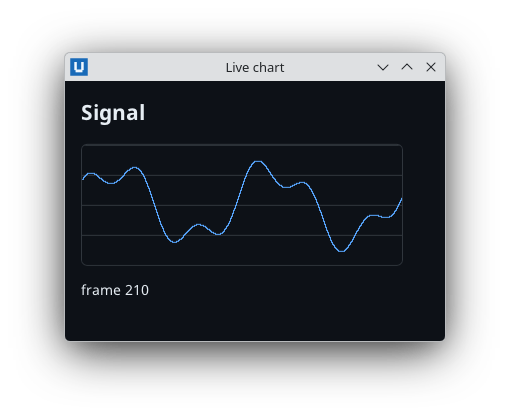
Real capture on KDE Plasma 6.6 Wayland with the released packages.
Desktop attributes¶
Attribute (alias data-ui4me-*) |
Effect |
|---|---|
data-nativehtmlkit-drop="files text" |
Opt-in target for drops from other applications. Tokens files, text, none; the nearest element carrying the attribute decides; none, or a disabled or inert ancestor, refuses. Without it nothing accepts drops. The backend gets drag_feedback and drop events. |
data-nativehtmlkit-drag |
Pressing on this region moves the native window (custom title bars, typically with decorations: false). |
data-nativehtmlkit-resize="north-west" |
Pressing resizes the window from that edge: n/north, s, e, w, ne/north-east, nw, se, sw. |
data-nativehtmlkit-no-drag |
Excludes a subtree. Buttons, links, form controls and <summary> are never drag regions. |
Accessibility¶
The host builds a native accessibility tree from the document and publishes it through AccessKit
(AT-SPI on Linux, UI Automation on Windows). HTML semantics map to roles, plus the ARIA role
values listed in profile §8 and the common
ARIA states and properties (aria-label, aria-labelledby, aria-describedby, aria-expanded,
aria-checked, aria-selected, aria-live, aria-busy, aria-hidden, aria-invalid, …). Names
come from a simplified accessible-name computation (aria-labelledby, aria-label, <label>,
content, title, placeholder). Hidden, display: none, aria-hidden and inert content is
excluded; elements without a role of their own (a plain <div>, an unnamed <section> or <form>,
<label>) have no node. get_accessibility_tree returns exactly what is published, which makes it
the tool for automated accessibility checks.
Screen-reader behaviour must be qualified on the real desktop. Known limitation in 1.0.3: on Linux, Orca does not announce a collapsed drop-down's value change by arrow key (the value does change).
Untrusted text¶
There is no script execution, but markup injection still changes what users see and submit. Put
user-provided text in with text operations (set_text, append_text, set_value), which never
parse markup. Ops that take HTML (insert_html, replace_children_html, document.load) must only
receive trusted HTML, with user values escaped (html.escape() in Python,
[System.Net.WebUtility]::HtmlEncode() in PowerShell).
Limits¶
| Item | Limit |
|---|---|
| HTML per document load, file or inserted fragment | 1 MiB, UTF-8 |
| Nodes / nesting depth | 65,536 / 256 |
Text per set_text/set_value/append_text |
16 KiB |
| Runtime stylesheets | 64, each ≤1 MiB |
Properties per get_computed_style |
64 |
| Batch operations | 1024 per batch/node_batch |
| Default-action rules | 256 per document |
| Undelivered events per document | 1024 |
| Live documents per host / windows per host | 16 / max_windows (≤64, default 16) |
| Any protocol message (results and events included) | 2 MiB after JSON encoding |
Not supported¶
JavaScript and inline event handlers; frames and embedded objects; network loading and link
navigation; audio and video playback; a canvas drawing API; GPU rendering; printing and PDF export
(printing capability is false); Shadow DOM and custom-element behaviour; contenteditable
rich-text editing; colour and date/time pickers; datalist suggestions; HTML or image clipboard
formats; dragging content out to other applications; browser storage, cookies and Web APIs.
Source: nativehtmlkit-core/docs/guides/html-css-support.md · edit the page there.